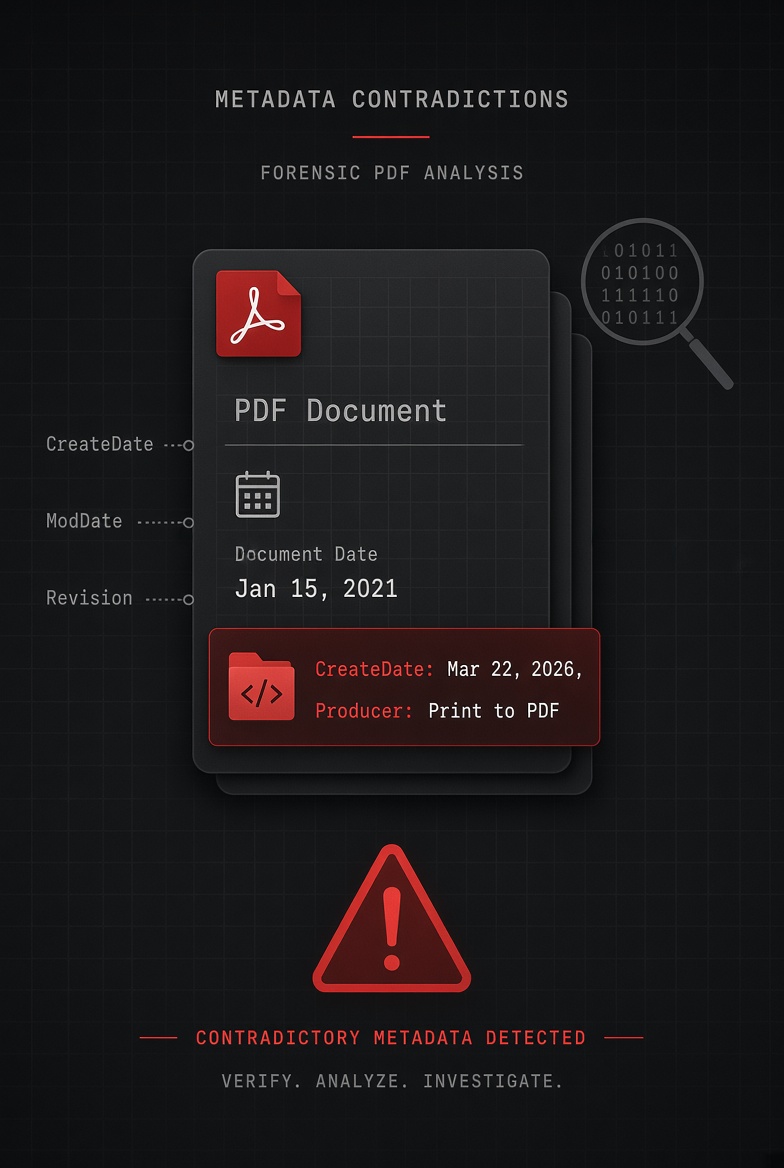

A PDF contains two versions of the truth: what you can read on the page, and what the hidden metadata records automatically. These two versions frequently contradict each other. Examples include a document dated January with a March creation timestamp, a "Final" version with 47 revision saves, and a "bespoke" proposal built from a three-year-old template. Every contradiction is readable by anyone with free tools and basic knowledge.
In March 2003, the UK government published an intelligence dossier on Iraq's weapons capability. It was presented as original analysis produced by government experts. A Cambridge academic named Brian Jones was suspicious. Someone ran the document through basic metadata analysis. The Author field said "John Williams." The Last Modified By field named a junior communications official. Most damningly, the document's own edit history showed it had been copied almost verbatim from a 12-year-old academic paper, a fact invisible in the document itself but unmistakable in its metadata.
The resulting scandal, known as the "dodgy dossier" affair, contributed to a public inquiry and became one of the most cited examples of what metadata exposure actually costs. Not a technical curiosity. A political crisis.
That was 2003, when metadata analysis required specialist knowledge. Today it takes 30 seconds and a free command-line tool. The contradiction between what a PDF claims and what its metadata records is one of the most consequential blind spots in professional document sharing. Here are five scenarios, each with real ExifTool output, showing exactly how that gap appears and what it reveals.
#1. How metadata contradictions happen
Before the scenarios: why do these contradictions exist at all? The visible content of a PDF, including the text, dates, version numbers, and author names you choose to display, is written by you. The metadata is written by your software, automatically, without asking. These two information streams are completely independent.
You type "January 1, 2026" on page one of a contract. Your operating system records March 15 as the actual creation date because that's when you exported the file. You write "Final Version" in the header. Word records revision 47 because you've saved the document 47 times. You present a proposal as bespoke. The DocumentID field reveals it shares a UUID with the template you've been using for two years.
Neither version is trying to deceive anyone. The visible content records what you intended. The metadata records what actually happened. The contradiction isn't the software malfunctioning. It is the software being accurate about something you didn't realise it was tracking.
To understand all the fields involved, see our complete PDF metadata fields reference. For now, the five scenarios explain themselves.
#2. Scenario 1: The backdated contract
A settlement agreement is exchanged between two law firms. Page one reads: "This agreement is entered into as of the 1st day of January 2026." Standard boilerplate. The agreement covers events from late 2025. Everything looks normal.
Opposing counsel, reviewing the document before signing, runs ExifTool out of habit. The output:
Producer : Microsoft: Print To PDF
Author : M. Fellowes
Create Date : 2026:03:14 23:47:08+00:00 ← March, not January
Modify Date : 2026:03:14 23:51:22+00:00
XMP:CreateDate : 2026:03:14 23:47:08+00:00
XMP:ModifyDate : 2026:03:14 23:51:22+00:00
Revision Number : 3
This pattern appears constantly in legal disputes. Dates of agreement, dates of notice, and dates of delivery can all be specified in the document text. All can be contradicted by the creation timestamp. Under US Federal Rules of Evidence Rule 901, authentication of a document includes evidence about the process that produced it. A creation timestamp three months after the stated agreement date is exactly the kind of evidence that gets raised at authentication challenges.
#3. Scenario 2: The "final" document with 47 revisions
A consulting firm submits a due diligence report. The header reads "FINAL: For Client Distribution." The covering email states it is the definitive version. The client's technical team reviews it. One analyst checks the metadata before circulating it internally.
Creator : Microsoft Word
Create Date : 2026:09:01 09:12:44+05:30
Modify Date : 2026:09:28 22:43:11+05:30 ← 27 days of editing
Revision Number : 47 ← 47 saves in Word
XMP:CreatorTool : Microsoft Word for Microsoft 365
XMP:MetadataDate : 2026:09:28 22:43:58+05:30
Last Modified By : James Wilson ← different person
The Revision Number field records how many times the source Word document was saved, not how many formal draft versions existed. A document saved compulsively every few minutes while being written can show high revision numbers on what is genuinely a first draft. But combined with a modification timestamp showing editing continued until the night before delivery, and a Last Modified By name different from the Author, the picture is unflattering regardless of the actual explanation.
A RevisionNumber of 47 doesn't mean the document had 47 drafts. Word increments this counter every time you hit Save, including auto-saves. A document written over 3 hours with auto-save enabled every 10 minutes can show a RevisionNumber above 20 on what is effectively a first draft. The number is not a draft count. It is a save count. But recipients don't always know that, and the combination with a late ModDate and a different Last Modified By name creates an impression that's hard to undo.
#4. Scenario 3: The "bespoke" proposal from a 3-year-old template
A freelance designer sends a proposal to a prospective client. The cover letter says "I've put together a proposal specifically for your project." The proposal document itself is beautifully customised to the client's name, specific requirements, and timeline. But the file's metadata tells a different story about how much of it was really built from scratch.
Creator : Canva
Create Date : 2023:04:17 14:22:08+00:00 ← 3.5 years ago
Modify Date : 2026:10:01 09:55:44+00:00
XMP:DocumentID : uuid:f3a2c1b4-...
XMP:InstanceID : uuid:9d7e6f5a-... ← different from DocumentID: edited copy
XMP:MetadataDate : 2026:10:01 09:56:01+00:00
This is one of the most common scenarios in freelance and agency work, and the consequences are almost always reputational rather than legal. A client who discovers this isn't likely to sue. Instead, they're likely to lose confidence in whether the pricing, the strategy, or the timeline were genuinely tailored to their situation. Our professional guide to PDF metadata risks covers the implications for freelancers in full.
Check what your own PDFs are saying behind your back
The Privacy Risk Score shows every contradiction before it reaches a recipient. Free, browser-only.
#5. Scenario 4: The "original" document that was edited after signing
A signed NDA is shared as "the fully executed agreement." It has a digital signature stamp visible on the final page. Everything looks legitimate. But the ModDate is three days after the signature date, and the Producer field identifies a PDF editor that wasn't part of the original signing workflow.
Producer : PDF-XChange Editor 10.2 ← not the original signing tool
Create Date : 2026:08:10 11:24:00+01:00
Modify Date : 2026:08:13 16:38:44+01:00 ← 3 days after creation
XMP:ModifyDate : 2026:08:13 16:38:44+01:00
XMP:MetadataDate : 2026:08:13 16:39:02+01:00
Has XFA : No
PDF allows content to be added after signing through incremental updates. Some of those additions invalidate the digital signature, while some don't, depending on the document's permission flags. A Producer mismatch combined with a post-signature ModDate is sufficient grounds to request the original signing platform's audit log. For a full technical breakdown of how to detect post-signing modifications, see our guide on checking if a PDF has been edited or tampered with.
#6. Scenario 5: The internal author your client was never meant to know about
A management consultancy delivers a market analysis to a client. The cover page names the consultancy's senior partner as the lead analyst. The report looks fully internal: branded, formatted, and on-point. The client assumes it was produced by the team they're paying for. Three months later, a due diligence process on the consultancy reveals the truth.
Manager : DataInsights Co ← third-party firm
Company : DataInsights Co
Creator : Google Docs ← inconsistent with consultancy's stated workflow
Producer : Skia/PDF m128 ← Chrome print-to-PDF, not Word
Create Date : 2026:09:15 14:08:22+05:30 ← India timezone (IST)
XMP:Creator : Priya Sharma
White-labelling and outsourcing are common and usually legitimate business practices. The problem isn't the outsourcing. It arises when the metadata exposes an arrangement the client was specifically told didn't exist, or when the outsourcing itself was not permitted under the engagement terms.
#7. Mismatches that are genuinely accidental
Not every metadata contradiction is sinister. Some of the most common mismatches have entirely innocent explanations. Knowing the difference matters both for analysing documents you receive and for understanding why your own documents might show unexpected metadata.
The presence of a mismatch is not proof of wrongdoing. It is a flag requiring explanation. In a professional context, including legal discovery, due diligence, and journalism, the appropriate response is to ask for that explanation, not to assume the worst. The inappropriate response is to assume the metadata is always accurate and the document always lies, or vice versa. Both streams of information are evidence. Neither is automatically authoritative.
#8. How to check any PDF for contradictions
The complete check takes about two minutes with free tools. Here is the exact workflow:
# Mac: brew install exiftool
# Windows: exiftool.org/install.html
# Linux: sudo apt install libimage-exiftool-perl
# Full metadata dump: look for all contradictions
$ exiftool document.pdf
# Check just the fields most likely to contradict the document
$ exiftool -Author -Manager -Company -Creator -Producer -CreateDate -ModifyDate -RevisionNumber document.pdf
# Count incremental updates (each %%EOF = one version)
$ grep -c "%%EOF" document.pdf
# Result of 1 = no incremental updates. 2+ = file was modified after creation.
Alternatively, drop any PDF into FileIntel's PDF Metadata Remover. The Privacy Risk Score shows every field including Author, Manager, Company, Creator, Producer, and all timestamps in a single scored view. No command line is required, and nothing is uploaded.
#9. Protect your own documents from telling the wrong story
If you're on the sending side, the same knowledge applies in reverse. Every document you send carries a metadata record of how it was actually produced, and that record may contradict what you intended to communicate. The solution is stripping metadata before sharing, not after the contradiction is discovered.
Strip the metadata entirely before sharing rather than trying to manage individual field contradictions. A PDF with no metadata tells no story in either direction. Our complete guide on how to remove metadata from a PDF covers every method: browser, command line, and Acrobat. It also explains how to verify that both the Info dictionary and the XMP stream were fully cleared, not just partially.
#10. What metadata contradictions mean legally
The legal implications of metadata contradictions depend on whether the mismatch was accidental or deliberate, and whether it materially affected any party's decisions or rights.
Document backdating in the context of legal proceedings (creating a document after an event and timestamping it as if it predated the event) has been the basis for criminal charges in multiple US and UK cases. The metadata doesn't cause the legal problem. The deliberate misrepresentation does. But the metadata is what makes the misrepresentation detectable.
For professionals handling documents that may enter legal proceedings, the principle is simple: never present a document as what it isn't, and strip metadata before sharing to prevent accidental contradictions from creating impressions you didn't intend.
Check your documents before they contradict you
See every metadata field before it reaches a recipient. Strip everything in one click. Free, nothing uploaded.
#11. Frequently asked
exiftool document.pdf and look at the Create Date and Modify Date fields. Compare these to the date printed in the document. If the Create Date is later than the document's stated date, the file was created after that date. FileIntel's PDF Metadata Remover also shows these fields in its Privacy Risk Score without requiring command-line access.exiftool -all= document.pdf. See our full guide on how to remove PDF metadata for all methods.This article is for informational purposes about PDF forensics, document analysis, and metadata transparency. Real-world scenarios are illustrative composites drawn from documented case types. Specific legal consequences vary by jurisdiction. This is not legal advice. Consult a qualified legal professional for advice on document evidence, discovery obligations, or potential liability.